Cybersecurity for Smart Devices: 7 Essential Tips for US Households in 2026 to Prevent Digital Threats

In the year 2026, the average US household is more connected than ever before. From smart thermostats adjusting temperatures autonomously to intelligent refrigerators ordering groceries, and security cameras monitoring every corner, our lives are interwoven with a sprawling network of smart devices. While these innovations bring unparalleled convenience and efficiency, they also introduce a new frontier of digital threats. The interconnectedness that makes our lives easier can also create vulnerabilities, making Smart Device Cybersecurity an absolute necessity for every household.
The landscape of cyber threats is constantly evolving. What was considered cutting-edge security last year might be obsolete today. As we move further into the digital age, understanding and implementing robust Smart Device Cybersecurity practices is no longer just for tech enthusiasts; it’s a fundamental aspect of home safety and personal privacy. This comprehensive guide will equip US households with seven essential tips to safeguard their smart devices in 2026, ensuring a secure and peaceful digital existence.
The Rising Tide of Smart Device Vulnerabilities
Before diving into solutions, it’s crucial to understand the scope of the problem. Smart devices, often designed for ease of use over robust security, can be susceptible to various attacks. These include:
- Data Breaches: Many smart devices collect sensitive personal data, from daily routines to voice commands and even video footage. If compromised, this data can be stolen and misused.
- Remote Access and Control: Hackers can gain unauthorized control over devices, turning off security cameras, unlocking smart locks, or manipulating thermostats.
- Botnet Attacks: Vulnerable smart devices can be recruited into botnets, used to launch large-scale cyberattacks without the owner’s knowledge.
- Eavesdropping and Surveillance: Smart speakers and cameras, if not properly secured, can become tools for unauthorized surveillance.
- Ransomware: Some smart devices, especially those with storage capabilities, can be targeted by ransomware, locking users out until a ransom is paid.
The sheer number and variety of smart devices in a typical home amplify these risks. Each device represents a potential entry point into your home network. Therefore, a holistic approach to Smart Device Cybersecurity is essential.
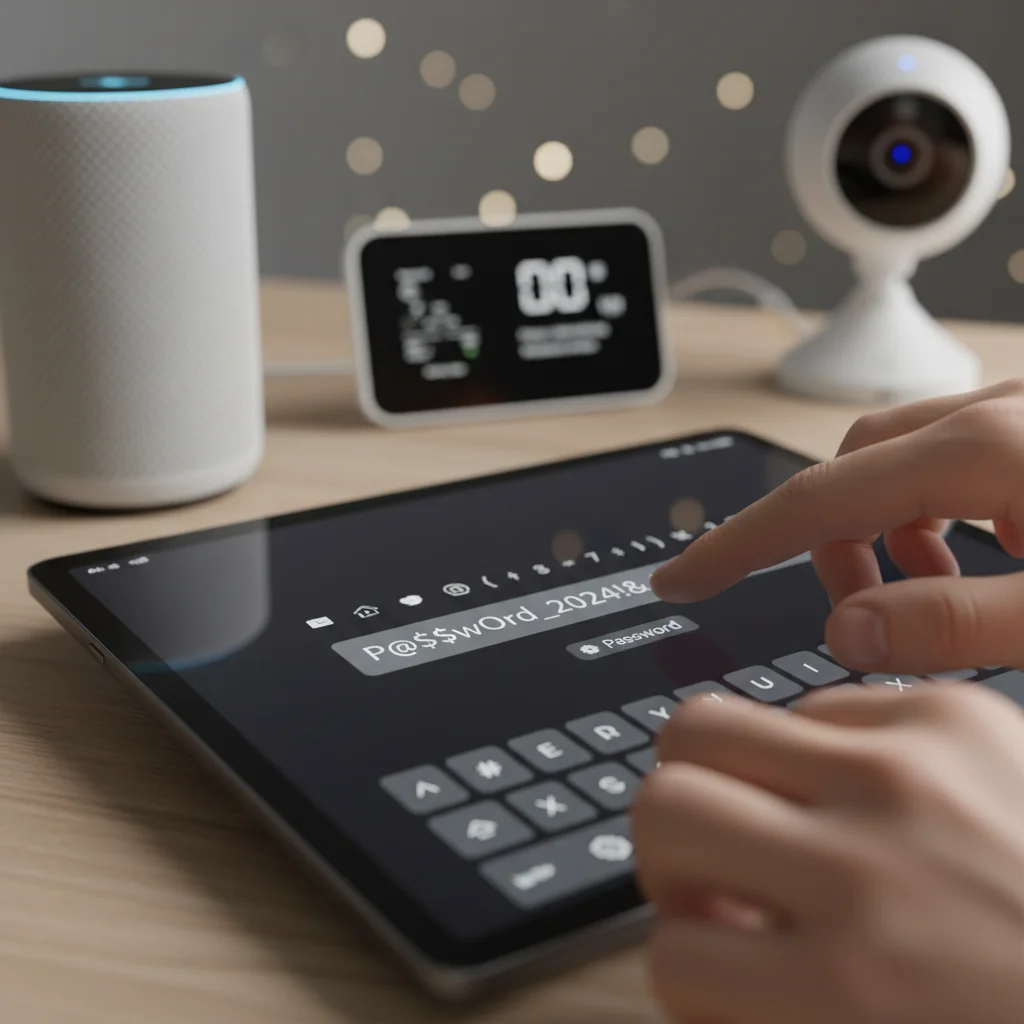
Tip 1: Strong, Unique Passwords for Every Device and Network
This might seem like a foundational cybersecurity tip, but its importance cannot be overstated, especially for smart devices. Many smart devices come with default passwords (e.g., "admin", "password") that are easily guessable. Leaving these unchanged is an open invitation for cybercriminals.
Why Strong Passwords Matter for Smart Devices:
- First Line of Defense: A strong password is the initial barrier against unauthorized access.
- Prevent Brute-Force Attacks: Complex passwords with a mix of uppercase and lowercase letters, numbers, and symbols are significantly harder to crack.
- Mitigate Credential Stuffing: If one of your online accounts is compromised, using unique passwords prevents hackers from using those same credentials to access your smart devices.
How to Implement:
- Change Defaults Immediately: As soon as you set up a new smart device, change its default password.
- Use Password Managers: This is the most effective way to create and store unique, strong passwords for all your devices and accounts. Popular options include LastPass, 1Password, and Bitwarden.
- Complexity is Key: Aim for passwords that are at least 12-16 characters long and incorporate a mix of character types.
- Wi-Fi Network Password: Your home Wi-Fi network is the gateway to all your smart devices. Ensure it has a strong, unique WPA3 password. Avoid sharing it widely.
Remember, a chain is only as strong as its weakest link. A single device with a weak password can compromise your entire smart home ecosystem, undermining all other Smart Device Cybersecurity efforts.
Tip 2: Enable Two-Factor Authentication (2FA) Wherever Possible
Two-Factor Authentication (2FA), sometimes called multi-factor authentication (MFA), adds an extra layer of security beyond just a password. Even if a hacker manages to steal your password, they won’t be able to access your device or account without the second factor.
The Mechanics of 2FA:
2FA typically involves two of the following three types of authentication factors:
- Something you know: Your password or PIN.
- Something you have: A physical token, a smartphone receiving a code, or a biometric device.
- Something you are: Biometric data like a fingerprint or facial scan.
For smart devices, 2FA usually involves a code sent to your smartphone or generated by an authenticator app after you’ve entered your password.
Why 2FA is Critical for Smart Device Cybersecurity:
- Enhanced Protection: Significantly reduces the risk of unauthorized access, even if passwords are compromised.
- Account Recovery: Helps secure your accounts during recovery processes.
- Industry Standard: Increasingly adopted by major tech companies as a baseline security measure.
How to Implement:
- Check Device Settings: Many smart home platforms and individual devices now offer 2FA as an option. Navigate to the security settings within the device’s app or web interface.
- Prioritize Critical Devices: Enable 2FA for devices that control access to your home (smart locks, garage door openers), handle sensitive data (security cameras), or manage financial transactions.
- Use Authenticator Apps: While SMS-based 2FA is better than nothing, authenticator apps (e.g., Google Authenticator, Authy) are generally more secure as they are not vulnerable to SIM-swapping attacks.
Making 2FA a standard practice for your smart devices is a relatively simple step that provides a dramatic boost to your overall Smart Device Cybersecurity posture.
Tip 3: Regularly Update Firmware and Software
Software and firmware updates are not just about adding new features; they are crucial for security. Manufacturers frequently release updates to patch newly discovered vulnerabilities and strengthen defenses against emerging threats. Ignoring these updates leaves your devices exposed.
The Importance of Updates:
- Patching Vulnerabilities: Updates often include fixes for security flaws that could be exploited by hackers.
- Enhanced Security Features: New updates can introduce improved encryption protocols, better authentication methods, and other security enhancements.
- Performance Improvements: While secondary to security, updates can also improve device stability and performance.
How to Stay Updated:
- Enable Automatic Updates: Whenever possible, enable automatic firmware and software updates for your smart devices. This ensures you’re always running the latest, most secure version.
- Manual Checks: For devices that don’t support automatic updates, make it a habit to periodically check the manufacturer’s website or the device’s app for available updates.
- Check News and Advisories: Stay informed about security advisories related to your smart devices. Tech news outlets and manufacturer websites often report on critical vulnerabilities and necessary updates.
- Router Firmware: Don’t forget your home router! It’s the central hub of your network and its firmware needs regular updates to protect all connected devices.
Treating updates as an essential part of Smart Device Cybersecurity maintenance is vital. Proactive updating can prevent many common attacks.
Tip 4: Segment Your Home Network (Guest Network/VLANs)
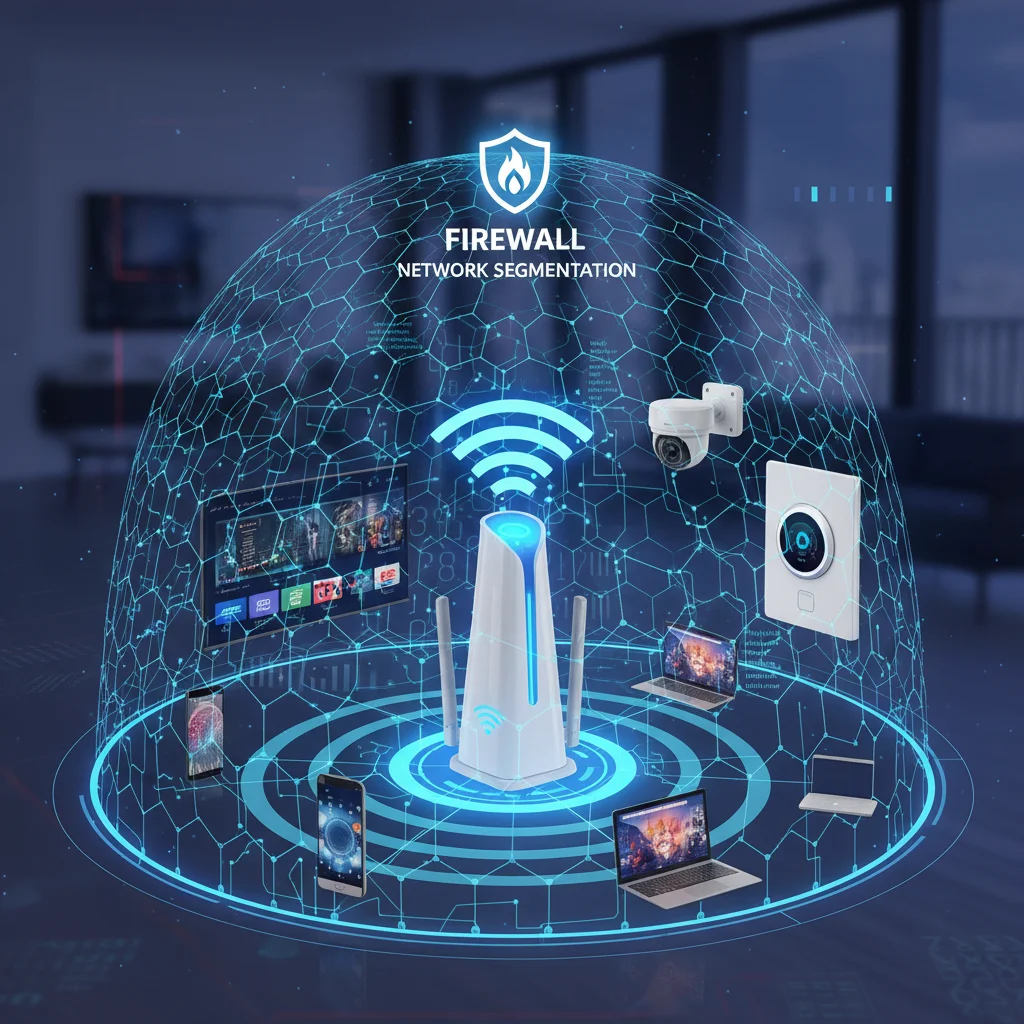
Network segmentation is an advanced but highly effective Smart Device Cybersecurity strategy. It involves dividing your home network into separate, isolated segments. This way, if one smart device is compromised, the attacker’s access is limited to that segment, preventing them from moving freely across your entire network and accessing more sensitive devices like your computer or smartphone.
Benefits of Network Segmentation:
- Containment: Prevents breaches from spreading from a vulnerable IoT device to other critical systems.
- Reduced Attack Surface: Limits what an attacker can see and access, even if they gain a foothold.
- Improved Privacy: Keeps your personal computers and data separate from less secure IoT devices.
How to Segment Your Network:
- Guest Wi-Fi Network: Most modern routers offer a "guest network" feature. This creates a separate Wi-Fi network that is isolated from your main network. Connect all your smart devices, especially those with lower security profiles (e.g., smart light bulbs, older smart TVs), to the guest network.
- VLANs (Virtual Local Area Networks): For more advanced users, setting up VLANs provides even greater control. This requires a router with VLAN capabilities. You can create a dedicated VLAN for all your IoT devices, another for your personal computers, and so on.
- Dedicated IoT Router: In some cases, homeowners might opt for a second, dedicated router specifically for their smart devices, creating a completely separate network.
While setting up network segmentation might require a bit more technical know-how, the security benefits for Smart Device Cybersecurity are substantial and well worth the effort.
Tip 5: Review and Limit Device Permissions and Data Collection
Many smart devices and their accompanying apps often request extensive permissions that go beyond their core functionality. Granting unnecessary permissions can expose more of your data than intended. Similarly, understanding what data your devices collect and how it’s used is vital for privacy and Smart Device Cybersecurity.
Why Permission Management is Key:
- Data Minimization: Limiting permissions reduces the amount of data a device can access or collect, thereby reducing the impact of a potential breach.
- Privacy Protection: Prevents devices from accessing data they don’t legitimately need, such as your location, contacts, or microphone when not actively in use.
- Reduced Attack Surface: Fewer permissions mean fewer potential vectors for an attacker to exploit.
How to Manage Permissions and Data:
- During Setup: Pay close attention to permission requests during device and app setup. Only grant permissions that are absolutely necessary for the device to function.
- Post-Setup Review: Periodically review the permissions granted to your smart device apps in your smartphone or tablet settings. Revoke any unnecessary permissions.
- Read Privacy Policies: While often lengthy, try to understand the privacy policies of the smart devices you purchase. What data do they collect? How is it stored? Is it shared with third parties?
- Disable Unnecessary Features: If a device has features you don’t use (e.g., voice assistant on a smart TV if you prefer other input methods), consider disabling them to reduce potential vulnerabilities.
- Location Services: Be mindful of location services on smart devices. Do your smart lights truly need constant access to your precise location?
Being an informed consumer and actively managing permissions are crucial components of maintaining strong Smart Device Cybersecurity and protecting your digital footprint.
Tip 6: Implement a Robust Home Firewall and Intrusion Detection
Your home router typically includes a basic firewall, but for enhanced Smart Device Cybersecurity, especially with a growing number of IoT devices, considering a more robust solution is advisable. A dedicated firewall or an intrusion detection system (IDS) can provide an additional layer of protection by monitoring network traffic for suspicious activity.
What a Robust Firewall Offers:
- Packet Filtering: Controls incoming and outgoing network traffic based on predefined security rules.
- Stateful Inspection: Monitors the state of active connections and makes decisions based on the context of the traffic, offering more sophisticated protection.
- Intrusion Prevention/Detection: Some advanced firewalls and IDS can identify and block malicious traffic patterns or attempts to exploit vulnerabilities.
How to Enhance Your Home’s Firewall:
- Check Router Settings: Ensure your router’s built-in firewall is enabled and configured correctly. Disable Universal Plug and Play (UPnP) if you don’t explicitly need it, as it can create vulnerabilities.
- Consider a Next-Generation Firewall (NGFW): For more advanced users, an NGFW appliance can provide deeper packet inspection, application control, and threat intelligence. These are often integrated into higher-end home routers or available as standalone devices.
- DIY Intrusion Detection: Solutions like pfSense or OpenSense can be installed on dedicated hardware to create a powerful, customizable firewall and IDS for your home network.
- Monitor Network Activity: Some routers and network monitoring tools allow you to see what devices are communicating and with whom. Keep an eye out for unusual activity.
While a basic router firewall is a start, investing in or configuring a more advanced solution significantly strengthens your home’s perimeter defense against external threats targeting your smart devices.
Tip 7: "Think Before You Link" – Prudent Device Selection and Usage
Ultimately, one of the most powerful Smart Device Cybersecurity tools is your own critical thinking. Not all smart devices are created equal, and not every "smart" feature is necessary. Being selective about what you bring into your home and how you use it can dramatically reduce your risk profile.
Key Considerations for Prudent Device Selection and Usage:
- Reputable Manufacturers: Stick to well-known brands with a track record of security, regular updates, and good customer support. Avoid no-name devices with vague privacy policies or poor reviews.
- Necessity vs. Novelty: Before purchasing, ask yourself if the "smart" functionality truly adds value or if it’s just a gimmick. Every connected device is a potential vulnerability.
- Read Reviews: Look for reviews that specifically mention security concerns, update frequency, and privacy practices.
- Understand the "Always On" Nature: Remember that many smart devices are always listening or always connected. Be aware of the implications, especially for smart speakers and cameras.
- Physical Security: Don’t neglect physical security. Secure your Wi-Fi router in a safe place, and ensure physical access to critical smart devices (like smart hubs) is controlled.
- Disconnect When Not in Use: If you have smart devices you use infrequently, consider unplugging them or disconnecting them from the network when not in active use.
- Data Deletion Policies: If you sell or dispose of a smart device, ensure you perform a factory reset and understand the manufacturer’s data deletion policies.
By adopting a "think before you link" mindset, you become the first and most important line of defense in your home’s Smart Device Cybersecurity strategy.
The Future of Smart Device Cybersecurity in US Households
As we look towards the rest of 2026 and beyond, the integration of artificial intelligence and machine learning will play an increasingly important role in Smart Device Cybersecurity. AI-powered security systems will be able to detect anomalies in network traffic, identify suspicious behaviors, and even predict potential attacks before they occur. These advancements will offer more dynamic and adaptive protection for our smart homes.
However, technology alone is not enough. User education remains paramount. Government regulations, industry standards, and consumer awareness campaigns will continue to evolve, pushing manufacturers to prioritize security by design and empowering users with the knowledge to protect themselves. The goal is to create a digital ecosystem where convenience doesn’t come at the cost of security and privacy.
Conclusion
The proliferation of smart devices has ushered in an era of unprecedented convenience, but with it comes the imperative of robust Smart Device Cybersecurity. For US households in 2026, protecting your digital home means actively engaging with these seven essential tips:
- Strong, Unique Passwords: Your first and most critical defense.
- Two-Factor Authentication: An indispensable second layer of security.
- Regular Updates: Keeping firmware and software current to patch vulnerabilities.
- Network Segmentation: Isolating smart devices to contain potential breaches.
- Limit Permissions: Controlling what data your devices can access and collect.
- Robust Firewall: Enhancing your network’s perimeter defense.
- Prudent Device Selection: "Think before you link" and choose devices wisely.
By implementing these strategies, you can transform your smart home from a potential target into a fortified digital sanctuary. Staying informed, proactive, and vigilant is the key to enjoying the benefits of smart technology without compromising your safety or privacy in the ever-evolving digital landscape of 2026 and beyond. Your Smart Device Cybersecurity is in your hands – empower yourself to protect it.